Explanation
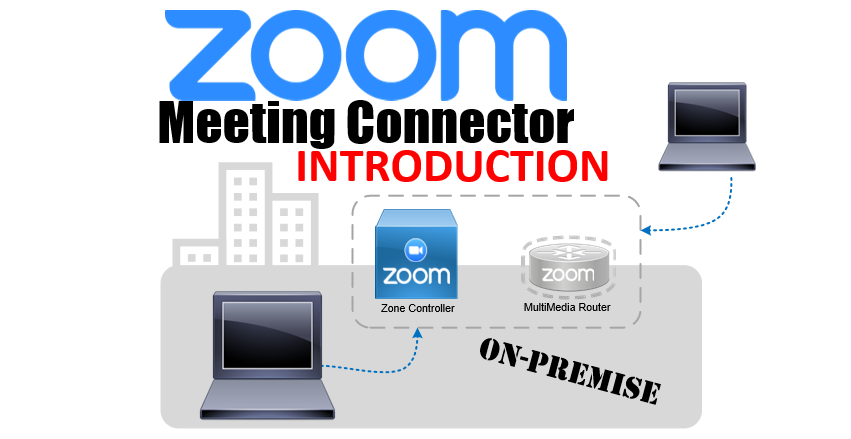
The Zoom Meeting Connector server is an on-premise server that allows you to host your meetings from your own network, making meetings more secure, and saving bandwidth.
Each Zoom Meeting Connector server contains two parts, a MultiMedia Router (MMR), which serves as the connection point for meetings, and a Zone Controller (ZC) which serves as the management console that allocates MultiMedia Routers.
The first server deployed is the primary Zone Controller, and includes a MultiMedia Router. The second server deployed should also include a Zone Controller and MultiMedia Router, with the Zone Controller serving as Secondary in a High Availability configuration in case of failure of the primary.
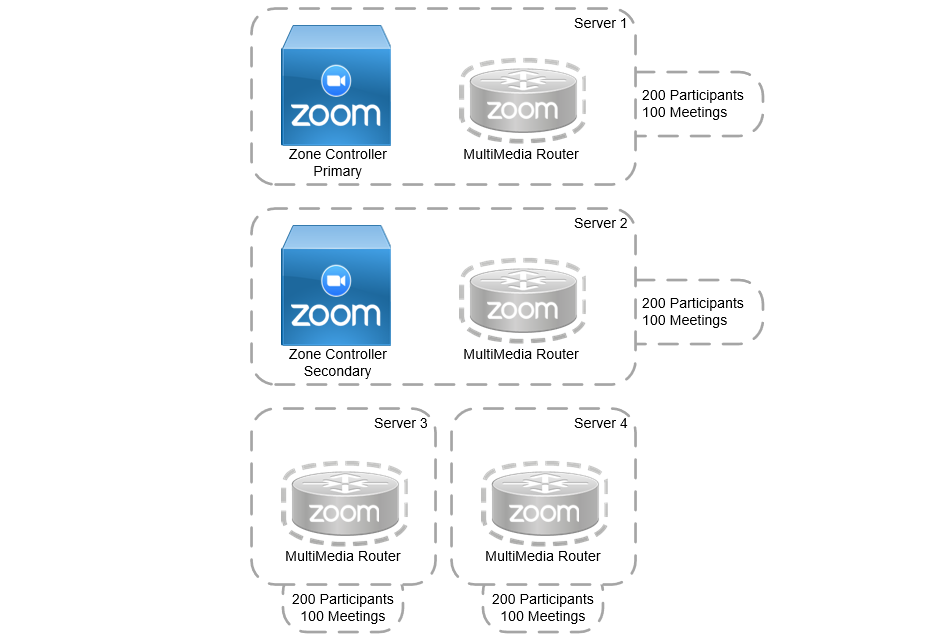
Each Additional MMR deployed add’s 200 concurrent participants and 100 concurrent meetings to our on-premise capacity. So if two servers are deployed, we can support 400 concurrent participants and 200 concurrent meetings.
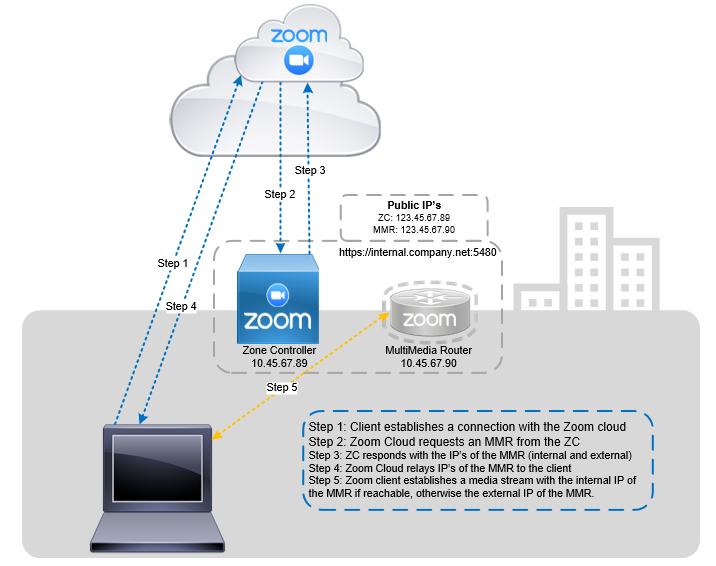
When an meeting participant, either on network or off, connects to a meeting that is designated to be on your servers, the client first reaches out to the Zoom cloud, where all meeting meta-data is stored. The Zoom cloud reaches out to your on-premise Primary Zone Controller, which designates a MultiMedia router for the participant to connect to. The ZC relays this information back to the participants client via the Zoom Cloud, and then the participant client can either connect to the MMR directly if on network, or via the external IP address if outside of your network.
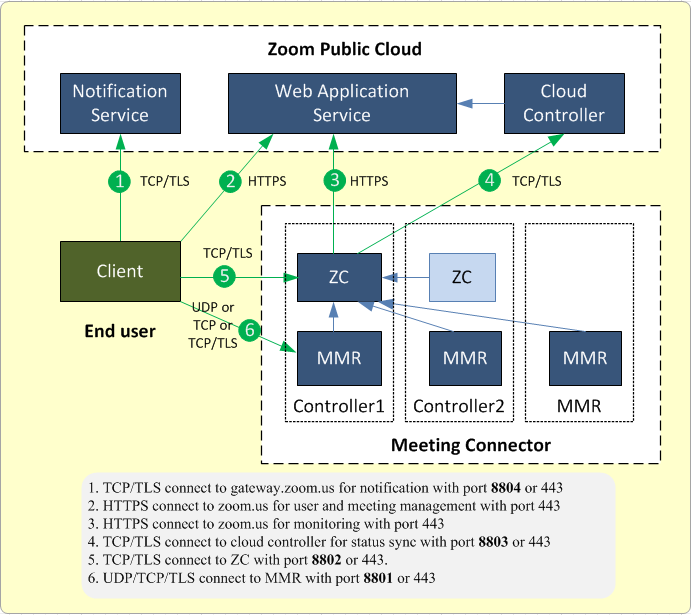
This image from the Zoom website describes the connection types.
Access the web console
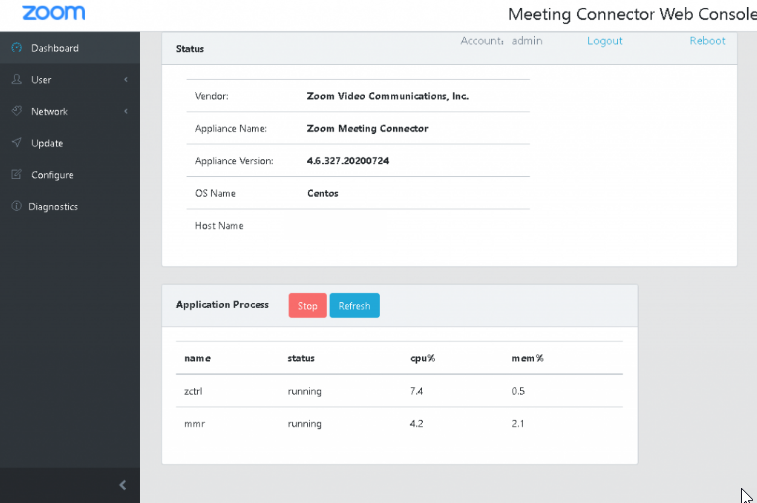
When first accessing the Meeting Connector Web Console, you are given a brief overview of the server including the current server version, the operating system, and the host name.
Following that is a summary of cpu and memory usage.
Update the Server
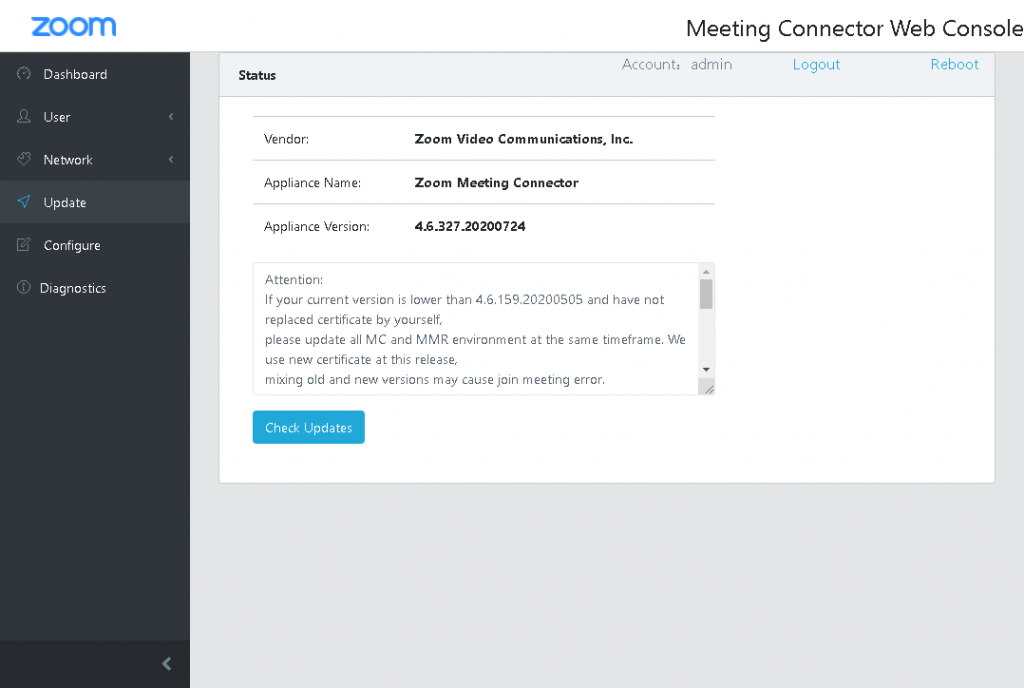
To update or upgrade the server, Zoom has put a simple update page. Click on the Update button on the left, and on the Update page you are given the current version, release notes for that version, and a big blue Check Updates button.
Server Configuration
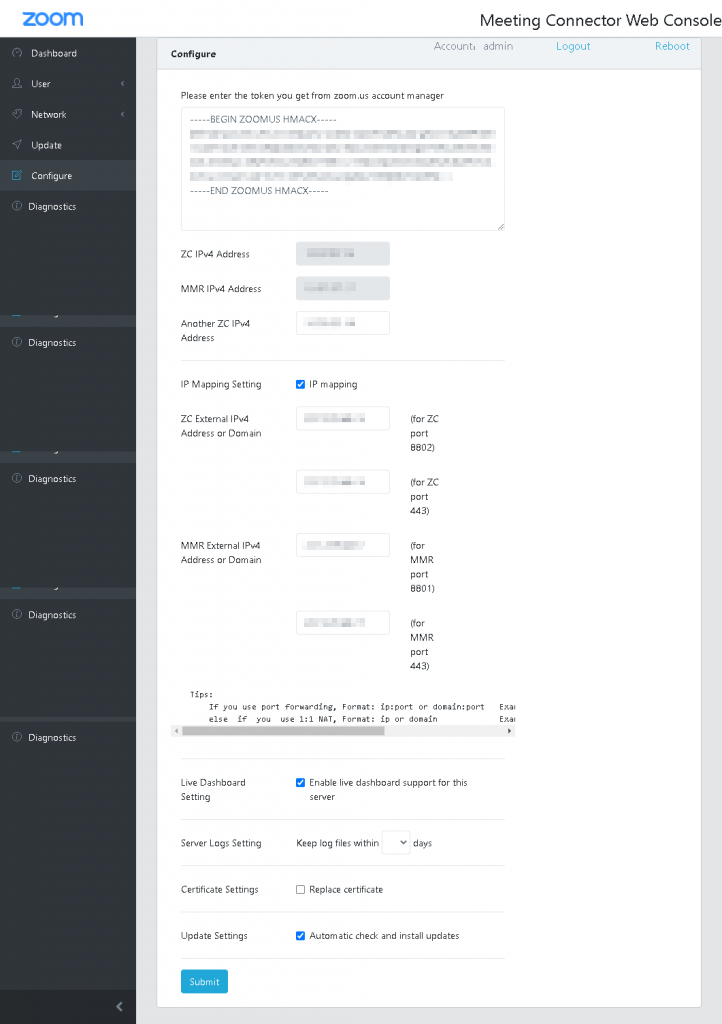
On the Configure page, the first thing we see is the token. This token is acquired from the Zoom website owner/administrator accounts under Admin > Advanced > Meeting Connector > Token
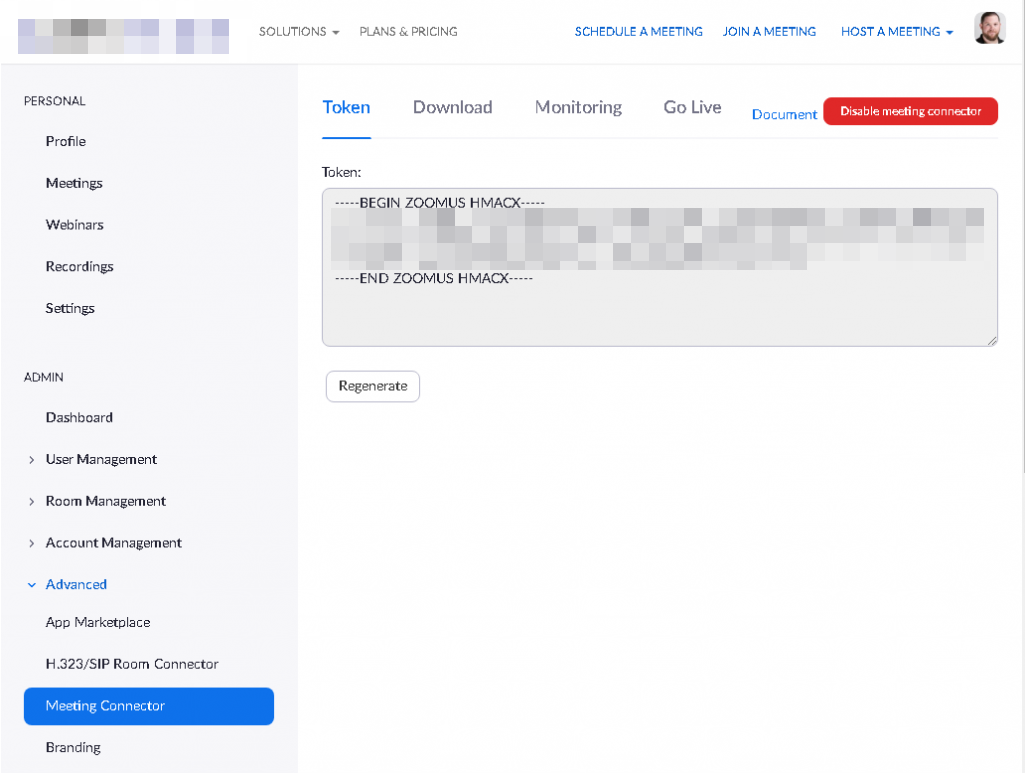
By copy and pasting this token, when the Zoom Meeting Connector server reaches out to the Zoom website, it associates with your account.
You will also need to configure your IP mapping for 1:1 NAT for external IP addresses to internal IP addresses.
Diagnostics
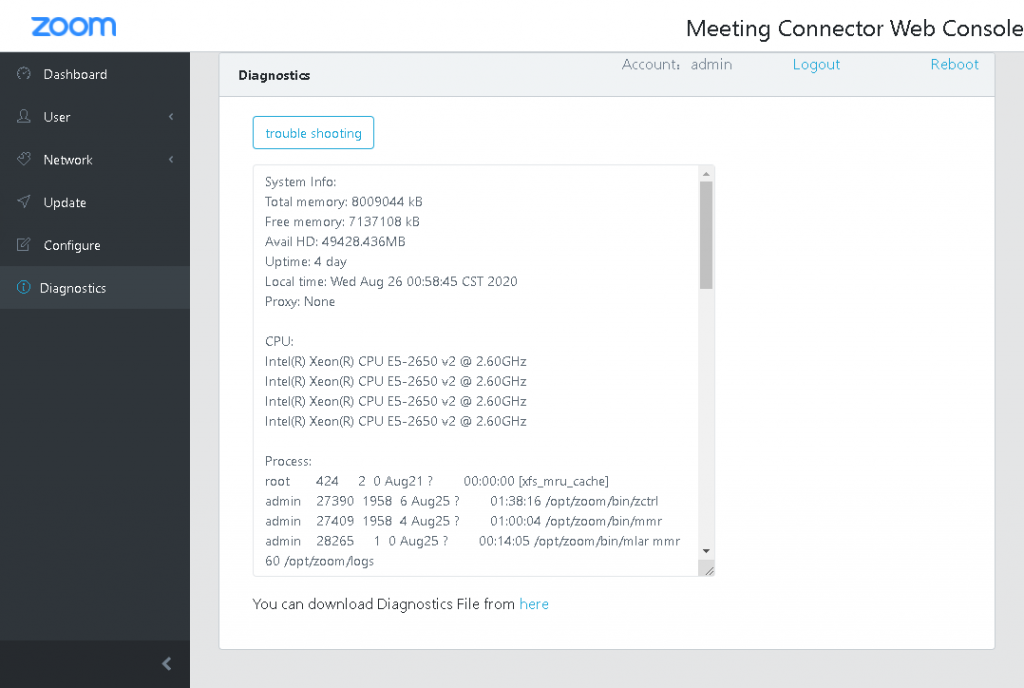
The Diagnostics page gives us the ability to monitor active system statistics and connections. Using this page, we can monitor any active connections users have to the MMR as well as confirm the server is properly connected with Zoom.
References
More information can be found on the Zoom website in the Support section for on-premise:
https://support.zoom.us/hc/en-us/sections/200305473-Meeting-Connector

Jaron Davis
Unified Communications Architect specializing in enterprise Zoom, Microsoft Teams, Cisco UC modernization, SIP/VoIP infrastructure, and systems architecture.